 LabelNow
Get paid, get your label. No tapping.
LabelNow makes USPS shipping labels for Discogs sellers. When an order is paid, LabelNow makes the label and emails you the PDF, ready to print.
App Store — coming sooniPhone app for US sellers shipping records with USPS.
How it works
- 1Connect DiscogsLog in with Discogs. LabelNow reads your paid orders. It never changes anything on Discogs unless you tap Yes.
- 2Labels made when orders are paidOpen LabelNow and each new paid order gets its USPS label. It uses your record weights, your box sizes and a daily spending limit you choose.
- 3PDF emailed to youEach label comes to your inbox as a PDF with the order number, items, postage and tracking. Just print it and pack.
- 4Mark shipped with one YesTap Yes and LabelNow marks the order shipped on Discogs and sends the buyer the tracking number.
Safe by default: you set a daily limit, and LabelNow makes at most 5 automatic labels each time you refresh. It pauses if the buyer messages after paying (in case the address changed). International orders use the customs value you set, or wait for you to enter one.
How payment works
You pay USPS postage through your own label wallet.
- When you set up, LabelNow opens a label wallet in your name with EasyPost, the shipping service that buys the postage.
- You add a card (or Apple Pay, where available) and choose an auto-reload amount, for example $25 whenever the balance drops under $10.
- Each label's postage comes out of your wallet at the USPS price shown in the app. Media Mail is the default for records.
- LabelNow never holds your money. The money you add goes into your own wallet and pays for postage. If you change an address, LabelNow cancels the old label and asks for a refund (USPS takes 15 to 30 days).
See it in action
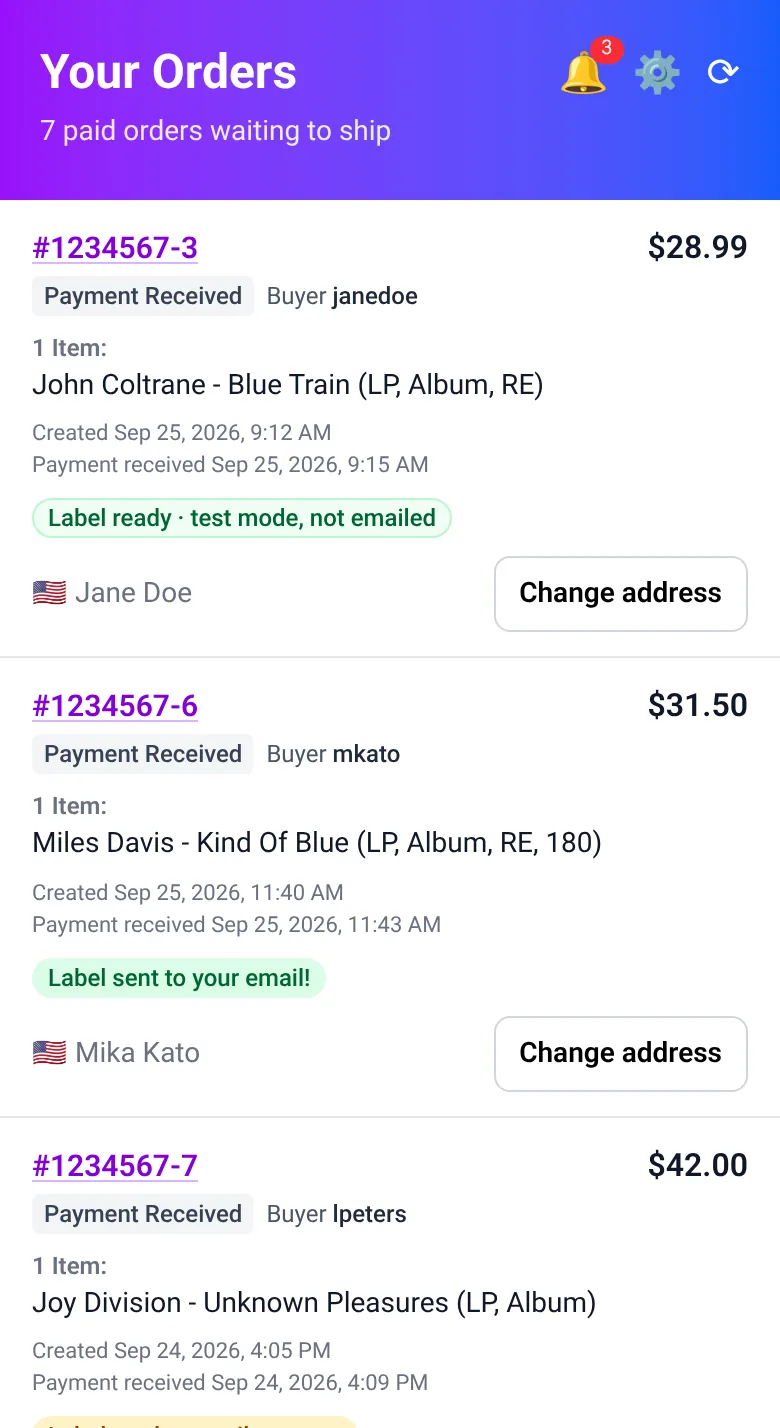
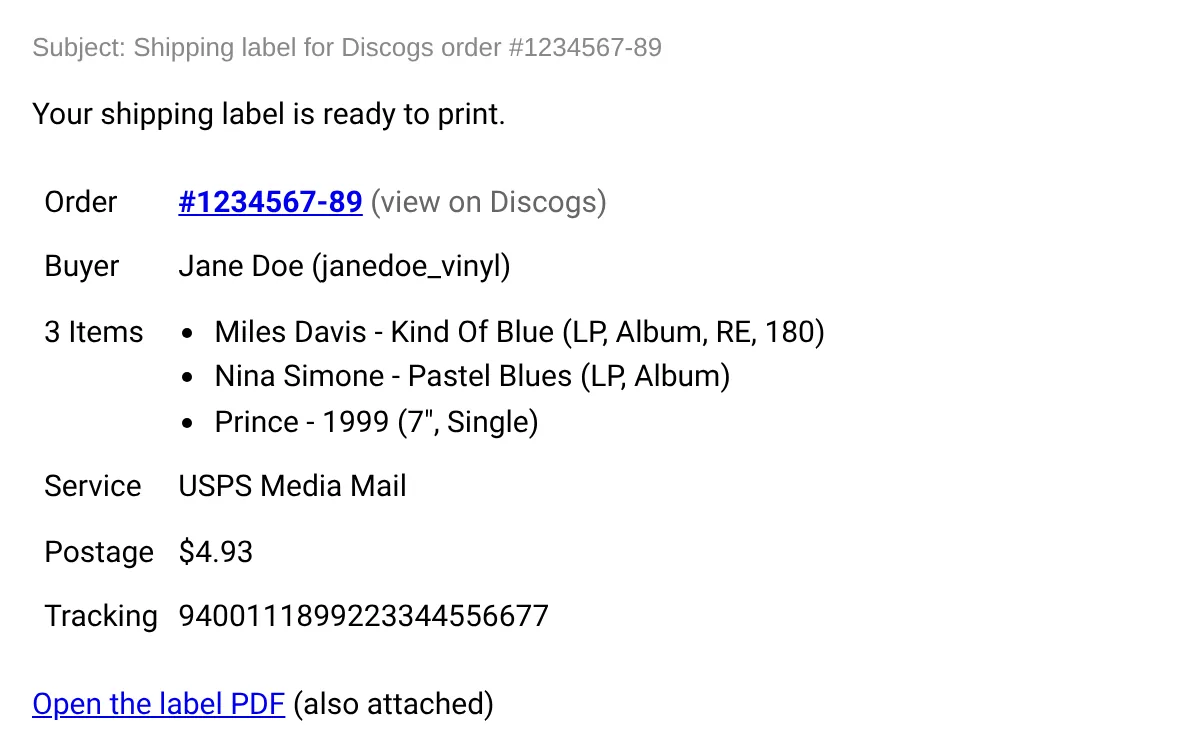
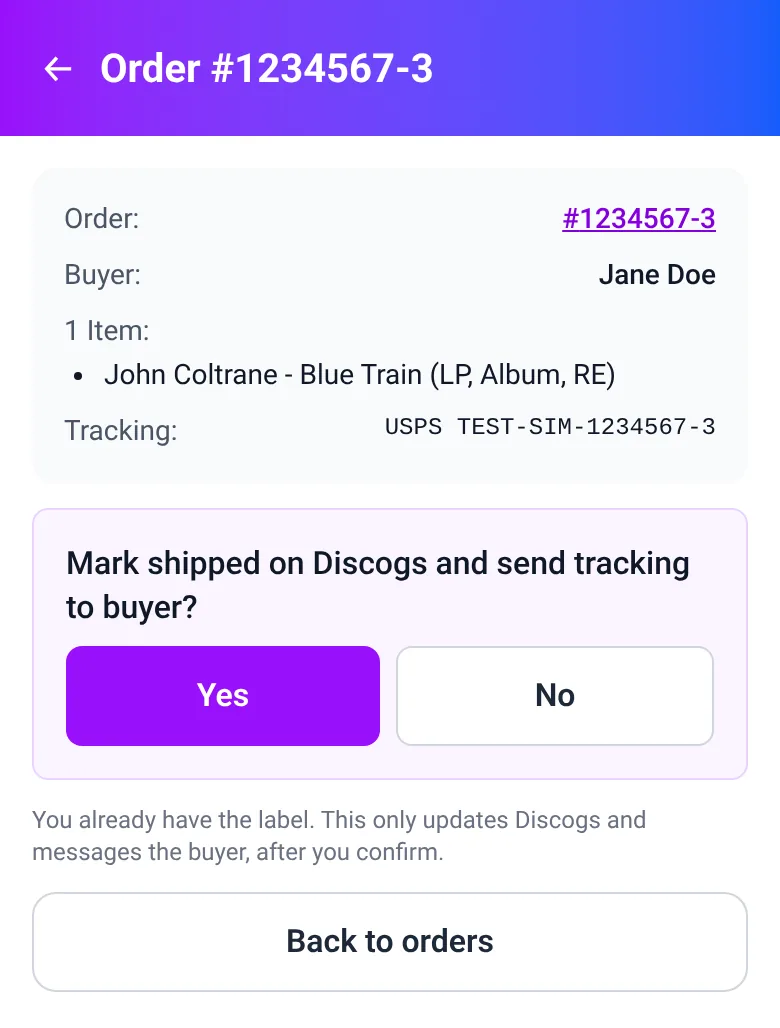
Pictures are from the test version of the app. The details shown are sample data.